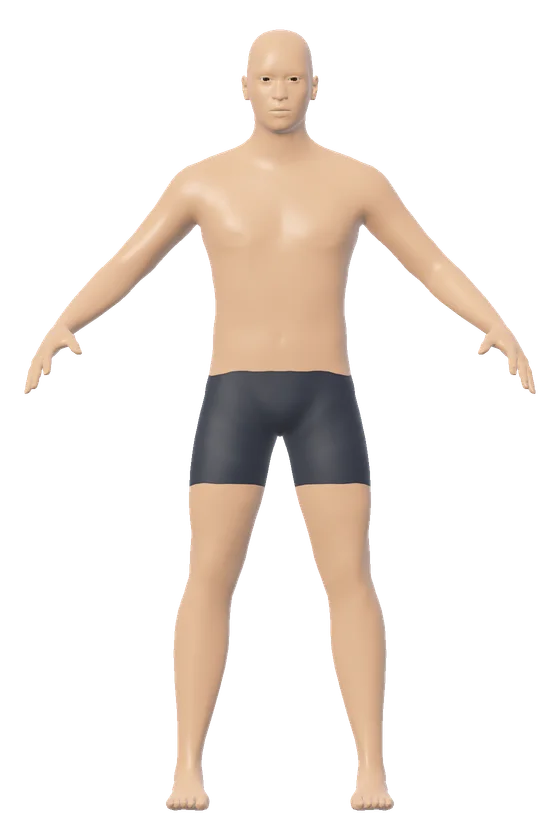
The 3D body visualizer tattoo preview lays a design on the skin of a 3D figure at its real size. The preview opens on a male figure of 178 cm (5 ft 10 in) and 78 kg (172 lb) with a mandala 10 cm (3.9 in) wide on the chest. Pick a place, set the width and turn the figure to see the tattoo from any side.
How the 3D body visualizer tattoo preview works
The 3D body visualizer tattoo preview works by projecting a flat picture onto the skin of the figure. The picture is centered on one point of the body and laid along the skin there, the way a stencil lies on skin. The ink darkens the skin under it, so the skin tone still shows through.
There are 5 designs: a mandala, a compass, a band, words you type, and a picture of your own. Your picture is read by the browser on your device and is not uploaded.
There are 8 named places: chest, upper arm, forearm, upper back, stomach, lower back, thigh and calf. The chest and the upper back are offered on the male figure, where the base layer leaves them bare. A tap on the figure puts the tattoo at any other point of the skin.
| Place | Around that part of the opening figure | A 10 cm tattoo spans |
|---|---|---|
| Chest | 99.8 cm | 10% |
| Upper arm | 30.7 cm | 33% |
| Stomach, at the waist | 84.2 cm | 12% |
| Thigh | 55.4 cm | 18% |
| Calf | 38.4 cm | 26% |
The tattoo keeps its place when the body changes. Type another height or weight and the design stays on the same patch of skin, at the same size in centimeters.
The picture is projected flat, so it does not wrap all the way around an arm or a leg. The design fades out where the skin curves away from it. The preview shows size and placement on a model body. It does not show how ink heals or how a design sits on a real person's skin.
3D body visualizer tattoo formula
The 3D body visualizer tattoo preview uses 3 formulas for the size of the design.
| Formula | For the opening tattoo |
|---|---|
| Share of the girth = width ÷ girth × 100 | 10 ÷ 99.8 × 100 = 10% |
| Height = width × picture height ÷ picture width | 10 × 512 ÷ 512 = 10 cm |
| Area of the box = width × height | 10 × 10 = 100 square centimeters (15.5 square inches) |
The girth is the tape measurement around the body at the place of the tattoo: chest, waist, upper arm, thigh or calf. The share tells how far round the body the design reaches. A share near 50% means the design covers the whole side that faces the viewer.
3D body visualizer tattoo conversion chart
The 3D body visualizer tattoo preview sets the width in centimeters or in inches. One inch is 2.54 cm.
| Width in inches | In centimeters | Share of a 30.7 cm upper arm |
|---|---|---|
| 1 in | 2.5 cm | 8% |
| 2 in | 5.1 cm | 17% |
| 3 in | 7.6 cm | 25% |
| 4 in | 10.2 cm | 33% |
| 5 in | 12.7 cm | 41% |
| 6 in | 15.2 cm | 50% |
| 8 in | 20.3 cm | 66% |
To study the figure without a design, use the clay figure for drawing. To set the exact girth of an arm or a thigh first, open the figure with its tape lines on. The male body visualizer and the 3D body visualizer change the build and the shape of the body under the tattoo.